








EduElfie created Safe Crossing Creator for Public Transport Victoria (PTV) — a uniquely ambitious Minecraft: Education Edition experience that goes beyond passive learning to put students in the role of active problem-solvers, tasked with making Victorian rail and tram crossings safer for everyone.
The Challenge
Victoria's public transport network includes both rail and tram crossings, presenting a dual safety education challenge. PTV needed a resource that could meaningfully address safe behaviour at both crossing types, across metropolitan and regional settings, for students aged 8-12.
The Solution
Rather than simply showing students what safe behaviour looks like, Safe Crossing Creator asks students to identify unsafe behaviours and design safety solutions themselves. This constructivist approach — learning by creating — gives the experience a depth of engagement and genuine curriculum rigour rarely seen in transport safety education.
Key Features
Three Distinct Crossing Environments
The world features three custom-built crossing locations: a metropolitan rail crossing modelled on a standard suburban Melbourne setting, a regional rail crossing reflecting the environments of Victorian country towns, and a tram crossing — covering the full breadth of the Victorian public transport network in a single experience.
Dot — A Custom Support Character
Students begin their journey at Dot HQ, where they meet Dot, a custom-created in-game character who serves as their guide throughout the world. Dot introduces the task, helps students navigate between locations, and introduces the Customer Service Officers at each crossing site.
Custom Sign Printing System
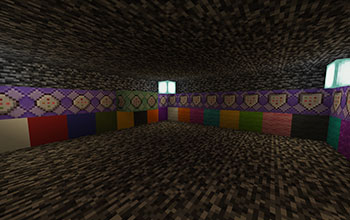
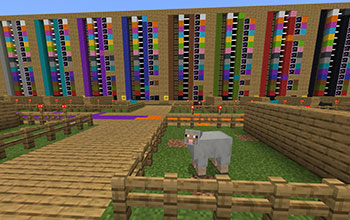
A standout technical feature is the custom sign printer — a purpose-built in-game tool that allows students to select from 10 different safety sign images and five different text options, combining them to create and place their own safety signs at each crossing.
Structured, Scaffolded Missions
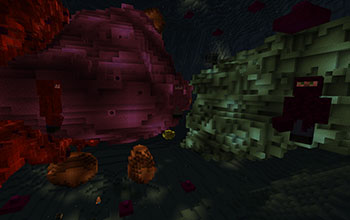
Students travel between crossing locations, meet characters displaying unsafe behaviours, read their stories, interpret what's wrong, and respond by designing and placing appropriate safety signage. Once a location is complete, students move on — keeping the experience focused and purposeful.
In-Game Assessment
Students document their work using Minecraft's in-game camera and Book and Quill, producing a written report of the unsafe behaviours they identified, the signs they used, and the safe behaviours they will personally choose at crossings. This serves as a genuine learning artefact and assessment tool.
Behaviours Covered
The game addresses a range of real-world crossing behaviours including using designated crossings, staying behind gates, putting away devices, walking wheels, and looking both ways — tailored to the specific context of each crossing type.
Curriculum Alignment
Safe Crossing Creator is aligned to both the Victorian Curriculum and the Australian Curriculum, targeting Years 3-6. It is freely available to teachers via the PTV Teachers Hub.
Follow